A Mix of Flowers from Daisies and Asters Watercolor: Versatile Digital Assets for Creative Projects
Digital watercolor elements occupy a unique space in modern design work. They bring handmade texture and natural warmth to otherwise flat layouts, yet they remain fully editable and scalable within digital workflows. A mix of flowers from daisies and asters watercolor offers exactly this balance: a curated set of hand-painted botanical illustrations that can function as standalone art or integrate seamlessly into larger compositions. For designers, small business owners, wedding planners, and content creators, understanding how to work with such a pack—what it contains, how to prepare it, and where it fits across different stages of a project—makes the difference between merely owning assets and actually using them effectively.
What the Pack Contains and Why It Matters
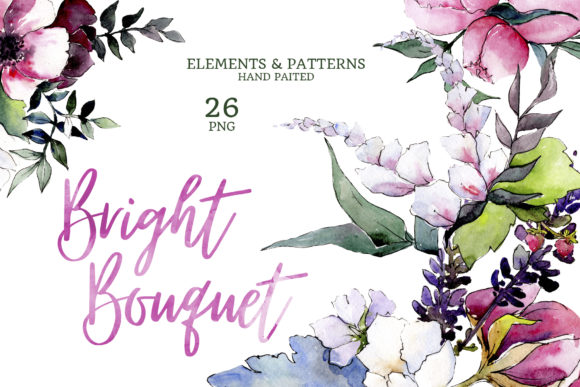
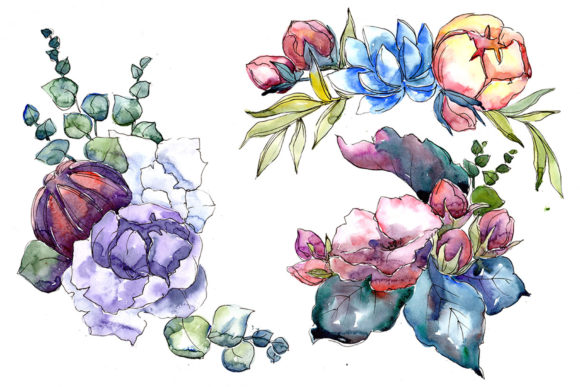
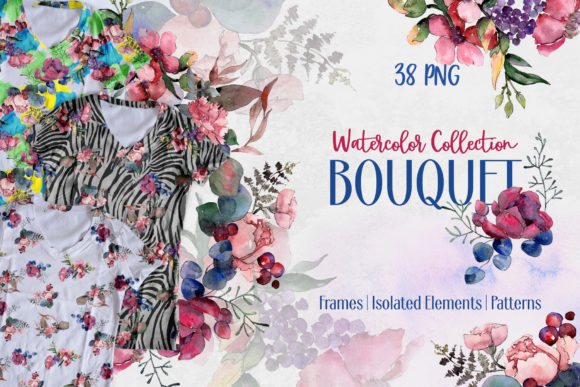
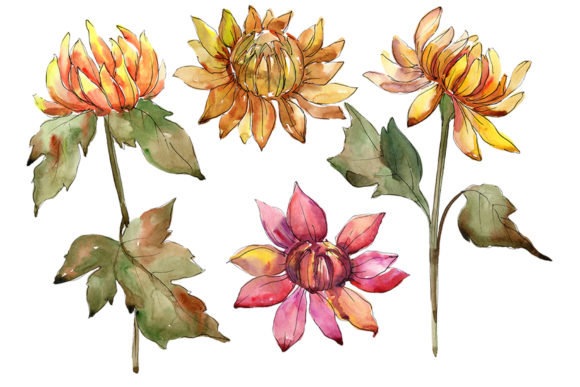
This particular collection delivers four distinct file types, each serving a different role in a design workflow. The pack includes PNG files of isolated flowers, borders, frames, and patterns, plus JPG versions of the patterns and frames at a generous 3500x3500 pixel resolution. Every individual illustration is a separate PNG file at 300 dpi with a transparent background, meaning you can drop elements directly onto any surface without additional masking or cleanup.
The separation of elements into isolated flowers, borders, frames, and patterns is intentional. Isolated elements give you maximum flexibility for custom layouts. Borders and frames provide structure for invitations, cards, or certificates. Patterns allow for quick background or texture fills. Having all four in one pack streamlines the sourcing process—you do not need to hunt down matching assets from different collections. The hand-painted aquarelle style ensures visual consistency across all files, which matters when you are building a cohesive brand piece or a multi-page document.
Because the graphics are high-resolution and editable in size and color, they work equally well for print and digital output. The JPG patterns and frames at 3500x3500px are ready for large-format printing or high-resolution screen display, while the transparent PNG files keep your workflow flexible for layering and compositing.
Where This Resource Fits in a Creative Workflow
Assets like these are most useful when integrated thoughtfully into a project's lifecycle. Before a project begins, you can use the pack for mood boarding and concept exploration. The floral motifs, soft color palettes, and hand-painted textures can inspire a color scheme, a typography direction, or a layout structure. Pulling a few isolated elements into a mood board helps you test whether the botanical theme aligns with your client's vision or your personal style before committing to a full design.
During the active design phase, these files become building blocks. The isolated PNG elements allow you to construct custom compositions without being locked into a pre-made template. You can arrange daisies and asters around text, layer them behind headings, or cluster them to create a wreath. The borders and frames give you pre-built structures for invitation layouts, quote graphics, or blog headers, which saves time on repetitive layout tasks. Patterns serve as ready-made backgrounds that can be scaled, rotated, or color-adjusted to fit the mood of the project.
After a design is finalized, the same assets can be repurposed for supporting materials. A wedding invitation set might include a main card, an RSVP card, a directions insert, and a thank-you note. Using frames from the pack for the main card and isolated flowers for the inserts creates a unified suite without starting from scratch each time. For bloggers and content creators, a single batch of elements can produce coordinating pin graphics, Instagram posts, and email headers, ensuring brand consistency across platforms.
Practical Applications Across Real Projects
Wedding and event stationery is an obvious fit. The combination of daisies and asters strikes a balance between casual charm and structured elegance. A frame element can anchor the couple's names and wedding date, while isolated flowers can accent the corners or line the bottom edge. For save-the-dates, a pattern background with text overlaid in a clean sans-serif font keeps the design readable and airy. The same files can extend to ceremony programs, seating charts, and favor tags, creating a cohesive visual language for the entire event.
Greeting cards and stationery benefit from the modular nature of the pack. A birthday card might use a border element on the front and a small isolated flower inside. A sympathy card might use softer tones and a simpler arrangement. Because the elements are hand-painted, they convey a crafted, personal feel that purely digital graphics often lack. For small paper goods businesses, this pack offers a consistent source of imagery that can be adapted across product lines without requiring new illustration work for every design.
Bloggers and content creators can use these assets for quote graphics, featured images, and social media posts. A transparent PNG daisy placed next to a motivational quote on a blog pin adds visual interest without overwhelming the text. Patterns work well as Instagram story backgrounds or YouTube thumbnail backdrops. Because the files are high-resolution and editable, you can resize them to fit square, vertical, or horizontal formats without losing quality.
DIY crafters and home decor enthusiasts will find the patterns and frames useful for printable wall art, gift tags, and scrapbook pages. Printing a 3500x3500px pattern as an 11x14-inch art print yields a sharp, gallery-worthy piece. The transparent PNGs can be imported into cutting machine software for vinyl decals or stencils, extending the pack's utility beyond screen-based projects.
Working with the Files: Practical Tips
Getting the most out of these assets starts with proper file management. Keep the PNG and JPG files organized in clearly labeled folders—one for isolated elements, one for borders and frames, one for patterns. When you open a project, import only the files you plan to use rather than loading the entire collection. This keeps your workspace responsive and avoids clutter.
Because the PNG files have transparent backgrounds, they work in any software that supports layers: Adobe Photoshop, Illustrator, Affinity, Canva, Procreate, or even PowerPoint and Google Slides. The 300 dpi resolution ensures that scaling down retains sharpness, but scaling up too much may introduce pixelation. Test the size before committing to large prints. If you need to enlarge an element significantly, consider converting it to a vector trace or using a high-resolution pattern as a background instead.
Color editing is straightforward if you use software with blending modes, adjustment layers, or hue/saturation controls. For example, you can create a monochrome version of an entire composition by desaturating the floral elements and applying a color overlay. Or you can shift the palette to match a brand's specific hex codes. The hand-painted texture remains intact, so the final result looks natural rather than flat.
For patterns, the JPG format means the background is opaque white. If you need a transparent pattern, you can open the JPG in image editing software and remove the white background using a color range selection or a layer blend mode like Multiply. Alternatively, you can use the pattern as a texture overlay with reduced opacity for a softer effect.
Integrating with Broader Tools and Workflows
These assets are most powerful when combined with other resources. Pairing floral elements with high-quality typography—whether a script font for elegance or a geometric sans-serif for modernity—creates contrast that draws the eye. Using a pattern as a background and layering a border on top adds depth without additional illustration work.
For entrepreneurs and small business owners, consistency is key. If you are building a brand around a botanical aesthetic, this pack can serve as a foundation. Use the same patterns across your website header, product packaging, social media templates, and email newsletters. The visual repetition builds recognition and trust. Because the elements are all from the same original illustrations, there is no risk of mismatched styles or color discrepancies across materials.
For educators and workshop leaders, the pack can be used to create handouts, worksheets, and certificates. A floral border frames a certificate of completion in a way that feels celebratory yet professional. Isolated flowers can mark sections of a handout or highlight key points. The hand-painted quality adds warmth to instructional materials without distracting from the content.
Quality, Consistency, and Long-Term Use
One of the strongest arguments for investing in a well-made asset pack like this is its reusability. Unlike trend-driven graphics that feel dated after a season, floral watercolor elements have enduring appeal. You can use them for years across different seasons, clients, and project types. The high resolution and separate file formats mean you are not locked into any single software or output size. As your skills grow and your tools change, the files adapt with you.
Quality control is built into the product itself. The 300 dpi resolution and 3500x3500px dimensions ensure that even large prints remain crisp. The hand-painted detail holds up under close inspection, which matters for products like wedding invitations where recipients examine every inch. Because the illustrations are detailed and the colors are natural, they pair well with a wide range of secondary elements—gold foil accents, textured cardstock, or simple black type.
For creators who sell their designs, this pack offers clear licensing advantages. You can use the elements in client work and commercial products, which opens up revenue streams without needing to commission custom illustrations. Whether you are designing for a single client or producing items for an Etsy shop, the pack provides a professional-grade resource at a fraction of the cost of hiring an artist.
Final Observations on Workflow Integration
A mix of flowers from daisies and asters watercolor is not a one-time-use asset. It is a resource that earns its place in your digital library through repeated application across different contexts. The key to effective use lies in preparation: organize your files, understand your software's capabilities for color and scale adjustment, and think holistically about how the elements can tie together different pieces of a project. When you approach the pack as a system of components rather than a collection of random images, you unlock its full potential for efficiency, consistency, and creative flexibility.
For anyone regularly producing print or digital materials—whether for clients, products, or personal projects—having a reliable, versatile set of botanical watercolor elements removes friction from the design process. You spend less time sourcing and more time creating. And in a creative workflow, that shift is exactly what turns a decent output into a polished, professional result.